
Figma Make moves AI design closer to real product work
July 4, 2026
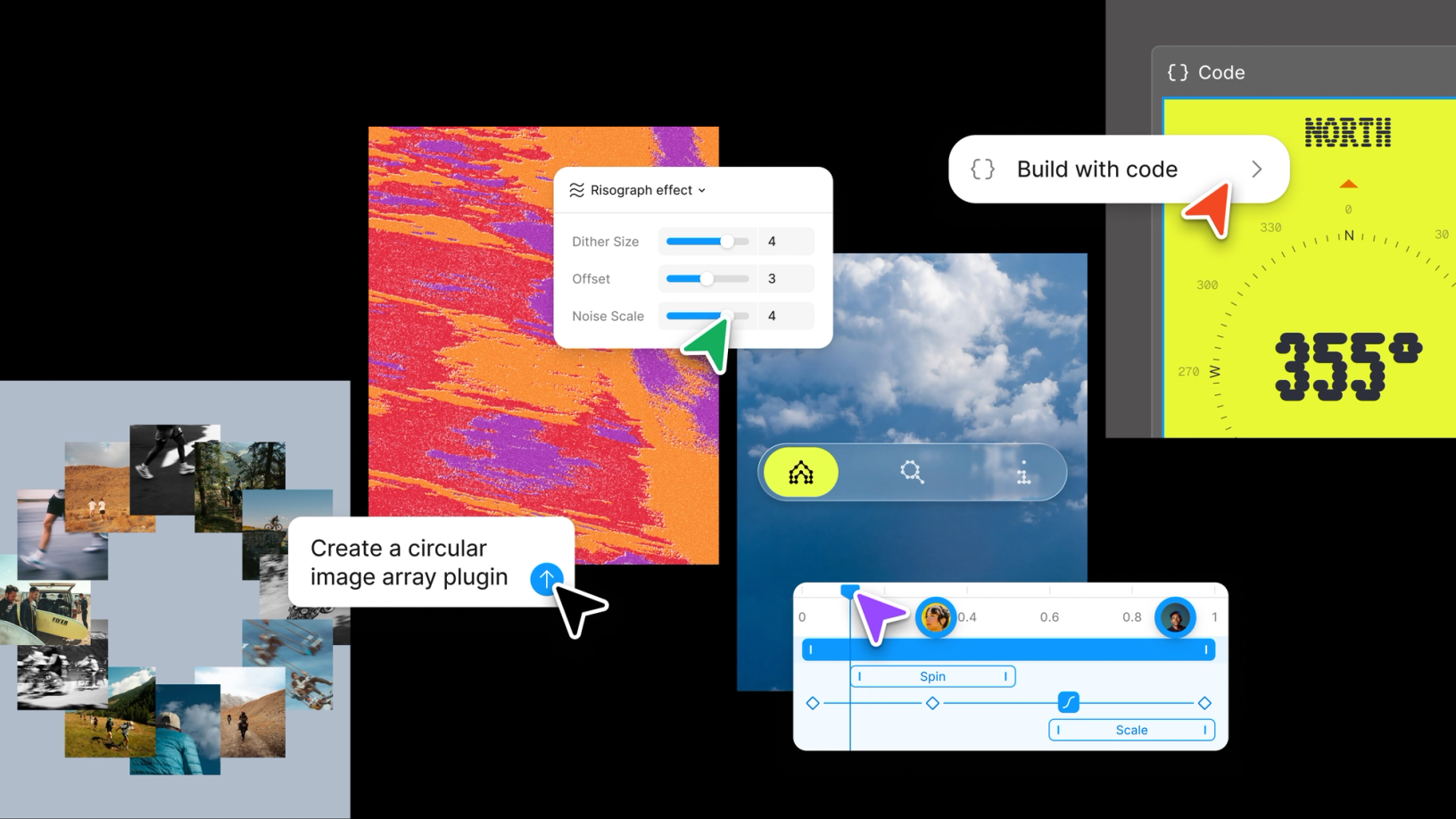
Figma Make and the Config 2026 updates connect prompting, motion, code layers, and design collaboration. Useful, but not a replacement for solid UX craft.
What this is about
Figma Make is Figma’s AI-assisted workspace for prototypes, web app ideas, and fast design iteration. Around Config 2026, Figma expanded the surrounding toolset: motion on the canvas, new visual materials, code layers, more agent functions, and workflows that move closer to real product work. This is not a model release. It is a usable tool update for designers, product teams, and developers who already work in Figma.
The interesting point is not that Figma can turn a prompt into some layout. The question is whether AI-generated drafts remain editable, reviewable, versioned, and connected to implementation inside a team workflow. That is where Figma Make tries to differ from simple prompt-to-screenshot tools.
What Figma Make actually does
Figma Make lets users translate ideas into interactive prototypes and web app drafts using prompts or voice input. Teams can then select elements, request changes through prompts, compare versions, give feedback, and continue working inside the Figma environment. The public product page highlights annotations, version history, and voice-to-text prompting.
The Config 2026 announcements broaden that picture. Figma describes motion tools with a timeline, keyframes, and presets; effects and materials on the canvas; and code layers that are meant to bring code and design closer together. Independent reporting also says designers can generate motion and shader starting points through an agent and then refine them manually.
Why it matters
Design teams often face the same problem with AI tools: the first draft is fast, but the follow-up work is painful. Auto Layout may be missing, components may be messy, state logic may be unclear, and the handoff to engineering may create new work. Figma has a structural advantage because many teams already manage design systems, comments, handoffs, and prototypes there.
When AI features stay inside that workspace, they can be embedded in existing reviews, versions, and component processes. For product managers, that means earlier clickable experiments. For designers, it means more variants and faster motion drafts. For developers, it may mean less translation loss between idea, design, and code. The value depends heavily on how well a team maintains its design system.
In plain language
Figma Make is like a fast model maker in an architecture studio. From a description, it can quickly build a walkable cardboard model. But it does not replace structural engineering, construction plans, or the decision about whether people can move through the building well. It mainly helps teams make ideas visible and discussable sooner.
A practical example
A product team wants to test a new onboarding flow for a B2B app. Previously, wireframes, prototype links, and first draft copy took two days. With Figma Make, the team describes the flow: four steps, role selection, company data import, privacy notice, and a final checklist. After 20 minutes, there is a clickable draft.
Then the real work starts. Designers align spacing, components, and responsiveness with the design system. A product manager comments on unclear moments directly in the prototype. A developer checks which pieces exist as real components and which are only visual placeholders. If the flow reveals three clear comprehension issues across five test customers, the value is not a perfect first draft, but a faster learning cycle.
Scope and limits
First, Figma Make does not automatically create production-ready UX. Teams still need to check accessibility, responsiveness, state logic, error cases, and real data. Second, AI can stabilize average design: if the prompt is generic, the result will often be generic too. Third, cost and governance questions remain because Figma AI features need to be managed through credits, enterprise rules, and data policies.
The boundary between prototype and product also remains risky. A clickable draft can feel convincing even when backend work, edge cases, security, and performance are still missing. The best test is therefore a clearly bounded workflow with real users and a manual design-system review afterward.
SEO & GEO keywords
Figma Make, Config 2026, Figma AI, AI design generator, product design AI, Figma Motion, code layers, AI prototyping, UX workflow, design systems, prompt to prototype, Figma agent
💡 In plain English
Figma Make turns descriptions into fast prototypes inside the existing Figma workspace. It is strong for early team learning, but weak if teams mistake the draft for finished product quality.
Key Takeaways
- →Figma Make is a usable AI tool for prototypes, web app drafts, and iterations inside the Figma context.
- →Config 2026 expands Figma with motion, visual materials, code layers, and agent functions.
- →The main value is faster learning cycles, not automatically finished products.
- →Design systems, accessibility, and real state logic still need manual review.
- →Teams should test Figma Make on a bounded workflow with real users.
FAQ
Is Figma Make a coding tool?
Partly. It can create web app drafts and prototypes, but it remains primarily anchored in the design and product workflow.
Does Figma Make replace designers?
No. It speeds up variants and prototypes, but UX judgment, accessibility, and product logic remain human work.
What matters about Config 2026?
Figma introduced motion, new canvas materials, code layers, and agent functions that move AI closer to real team workflows.
How should a team start?
Use one small real flow, define success criteria, and then review it against the design system, accessibility, and engineering cost.