
GenOffice combines open office software with document agents
August 27, 2026
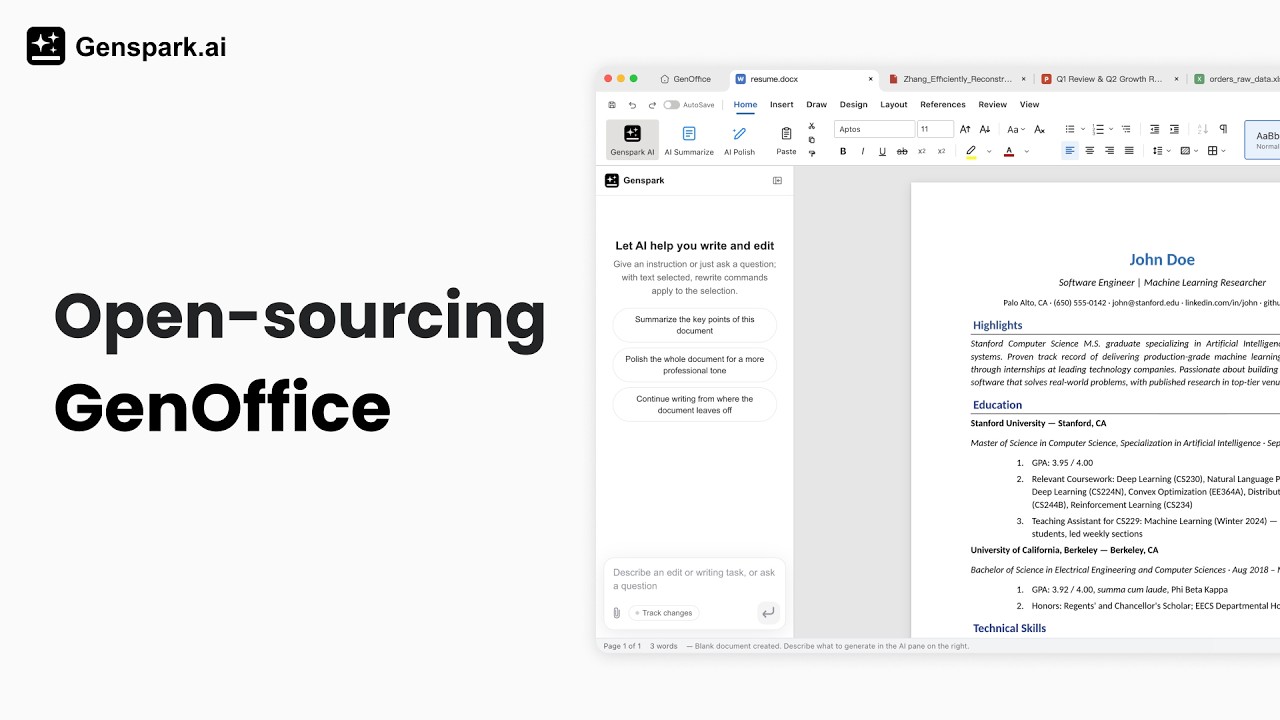
GenOffice edits Word, Excel, PowerPoint, PDF, and Markdown files on the desktop. The open alpha focuses on local document processing, BYOK, and traceable AI changes.
What this is about
GenOffice is a free desktop suite for macOS, Windows, and Linux that opens and edits Word, Excel, PowerPoint, PDF, and Markdown files. Instead of placing a chat window beside a conventional editor, the project connects AI agents directly to document blocks, spreadsheets, slides, and PDF content. The application is licensed under Apache-2.0; a reserved directory for future enterprise modules has a separate license.
The project is still in alpha. Even so, it provides installable, signed packages and frequent releases. Version 0.8.358 was published on August 26, 2026, with installers for several desktop platforms. That makes GenOffice a testable tool rather than a concept page.
What GenOffice actually does
The suite includes editors for DOCX, XLSX, PPTX, PDF, and Markdown. For Word files, a block-level patching method is designed to rewrite only edited sections while preserving untouched components. Spreadsheets use Univer and a custom Rust component for XLSX handling. PDFs rely on PDFium, pdf.js, and pdf-lib; according to the project documentation, PDF-to-Office conversion runs locally.
Every editor includes an AI panel. Agents can rewrite text blocks, modify sheets, draft slides, or answer questions about documents. Changes in text documents are exposed through versions and diffs. Users can sign in with Genspark or provide their own keys for several model vendors and OpenAI-compatible endpoints. That also makes local model servers possible in principle.
Why it matters
Office AI is often tied to proprietary subscriptions and a fixed cloud provider. GenOffice separates two layers: opening, saving, and converting documents is intended to happen locally, while model requests still require network access depending on the selected backend. This separation may appeal to teams that want control over file formats and a choice of model provider.
Open source code also makes technical inspection and customization easier. Apache-2.0 covers the public core, while trademarks and the reserved enterprise directory are handled separately. This is more open than a closed office application, but it does not guarantee that every future feature will remain free.
In plain language
GenOffice is like a workbench with several interchangeable tools: documents stay on the bench, while you can call an outside specialist for a difficult task. If you use your own model key or local server, you choose which specialist answers. You still need to check what information that specialist receives.
A practical example
A small consulting team receives a 40-page PDF report, an XLSX cost summary, and an existing presentation. It converts the PDF locally into an editable DOCX, asks the agent to simplify 12 paragraphs, and reviews every change in the diff. It then asks the spreadsheet agent to flag three variances above ten percent and adds five slides to the existing deck.
For confidential data, the team first tests copies without customer names. It records which model endpoint is used, disables optional usage analytics, and compares the saved files in Microsoft Office or LibreOffice. Only after layouts, formulas, and data paths are verified does the workflow enter daily use.
Scope and limits
First, GenOffice is explicitly alpha software. Complex Office files with macros, unusual fonts, embedded objects, or demanding layouts may change during a round trip. Comparison with the original application remains necessary.
Second, local file editing does not automatically mean local AI. Anyone using Genspark or an external API provider sends task-relevant content to that service. Data protection, processing agreements, logging, and regional storage need separate review.
Third, agents can alter formulas, claims, or slides incorrectly. Diffs help with text but do not replace expert review of figures, contracts, or approvals. GenOffice is therefore not yet a safe replacement for established office processes in regulated environments.
SEO & GEO keywords
GenOffice, Genspark, open-source office, AI agents, document agent, DOCX, XLSX, PPTX, PDF editing, BYOK, local AI, Apache-2.0
💡 In plain English
GenOffice is an open office suite with built-in document agents. Files are edited locally; AI tasks can use Genspark, a user-provided API key, or a compatible local endpoint. The software is still in alpha.
Key Takeaways
- →GenOffice edits DOCX, XLSX, PPTX, PDF, and Markdown on macOS, Windows, and Linux.
- →The public core of the desktop suite is available under Apache-2.0.
- →Document processing and PDF conversion are intended to run locally; external model calls remain a separate data path.
- →BYOK and OpenAI-compatible endpoints let users choose their model provider.
- →Alpha status and complex Office formats require careful testing before production use.
FAQ
Is GenOffice free?
The public core is licensed under Apache-2.0 and the desktop app is offered for free. A reserved directory for future enterprise modules has a separate license.
Do documents stay on the user's device?
Opening, saving, and conversion are intended to run locally. AI requests may still send content to Genspark or the selected API provider.
Which formats does GenOffice support?
The suite lists DOCX, XLSX, PPTX, PDF, and Markdown. Output from complex files should be checked in the original office application.
Is GenOffice production-ready?
The project describes itself as alpha. Critical or regulated workflows require testing, approvals, and a verified data path.