
MCP Toolbox makes databases controllable for AI agents
July 20, 2026
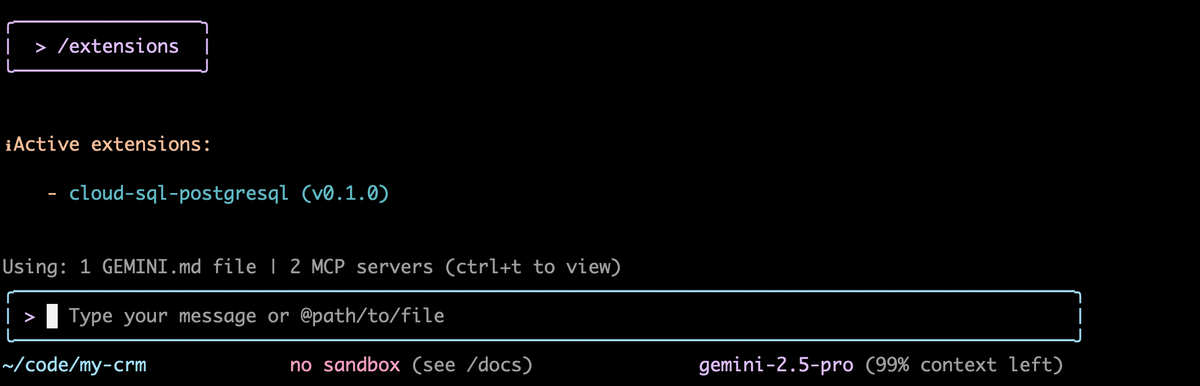
Google's MCP Toolbox for Databases connects agents to enterprise databases. It is useful when teams want to grant SQL access without handing over raw credentials and unconstrained queries.
What this is about
MCP Toolbox for Databases is an open-source Google tool that connects AI agents to databases through the Model Context Protocol standard. The practical reason for this tool check is version 1.7.0 from July 16, 2026: the release adds quotaProject support for BigQuery and Looker Conversational Analytics, an ArcadeDB source, optional PostgreSQL timeouts, and native vector embedding support for ClickHouse.
This is not a general model story. It is about a concrete tool for developers, data teams, and platform owners who do not want to let agents connect directly to production databases. Toolbox acts as a controllable layer between the agent, the MCP client, and the data source.
What MCP Toolbox actually does
Toolbox provides an MCP server. An agent inside Gemini CLI, Claude Code, Codex, or another MCP client can discover and call defined tools through it. Instead of giving the model a database password and an unconstrained SQL console, the team describes which sources and which queries are allowed in configuration.
The official documentation describes two modes: prebuilt MCP tools for development work and a framework for custom, more tightly controlled tools in production agents. Toolbox handles technical routines such as connection setup, authentication, connection pooling, and structured tool exposure. According to the project materials, it supports more than 30 data sources, including Google Cloud services, relational databases, and other systems.
The important boundary is this: the tool makes data access easier to wrap, but it does not automatically decide which business data an agent should be allowed to see. That remains architecture and security work.
Why it matters
In 2026, agents are not only used to write text or code. They read files, call APIs, change systems, and query data. An arXiv analysis of public MCP tools from November 2024 to February 2026 found 177,436 agent tools and describes a strong rise in tools that can take action. The more agents act in real systems, the more important the tool layer becomes.
For databases, this is especially sensitive. A wrong query can create high costs, expose sensitive data, or overload operational systems. Toolbox addresses that middle layer: developers can offer data access through defined tools instead of wiring each agent into custom database logic.
The current release matters because it broadens daily usage: BigQuery and Looker projects can be billed more cleanly with quotaProject, PostgreSQL connections can be bounded more robustly, and ClickHouse gets vector embedding functions for search and analytics use cases.
In plain language
Imagine an office kitchen. Without rules, everyone could open every cabinet, dismantle the coffee machine, and empty the storage room. MCP Toolbox is more like a serving counter: you ask for what you need and receive only the approved ingredients in the right form.
For AI agents, that means they do not need to know how every database works internally. They receive clean tools that let them answer specific questions.
A practical example
A SaaS team runs a PostgreSQL database with 80,000 customer accounts and additional BigQuery datasets for product usage. Support wants to ask: “Which five enterprise customers had unusually many failed API calls in the last seven days?”
Without Toolbox, a developer would need to build SQL access for the agent or write a special API. With Toolbox, the team can define a tool that returns only aggregated error rates, looks back at no more than seven days, and does not return personal raw data. The agent then receives a result list, such as five customer names, error rates, and time windows. A human can then decide whether to create a support ticket.
At 10,000 API calls per customer per day, the difference is meaningful: the agent does not work with millions of raw rows, but with a checked and bounded query.
Scope and limits
First, the model answer still needs review. If an agent misreads a database tool, the summary can still be misleading.
Second, Toolbox does not replace an authorization model. Roles, networks, secrets, audit logs, and privacy rules need to be implemented cleanly around and inside the tool.
Third, the release notes warn that prebuilt tools are more appropriate for developer use. For production agents, teams should build narrow, tested tools instead of exposing broad generic queries.
The sensible next test is small: a non-critical database, one read-only tool, a clear limit for result size, and an audit log. Only when costs, permissions, and failure cases are visible should this kind of access move into more important workflows.
SEO & GEO keywords
MCP Toolbox for Databases, Google, Model Context Protocol, MCP Server, Gemini CLI, Claude Code, Codex, BigQuery, Looker, PostgreSQL, ClickHouse, AI Agents
💡 In plain English
MCP Toolbox is a safety layer between an AI agent and a database. Instead of giving an agent free SQL access, a team exposes approved tools that may only read or analyze specific data.
Key Takeaways
- →MCP Toolbox for Databases is a concrete open-source Google tool for agent data access.
- →Version 1.7.0 from July 16, 2026 adds improvements for BigQuery, Looker, PostgreSQL, and ClickHouse.
- →Its value is controlled tools instead of free database access for AI agents.
- →Production use still needs roles, audit logs, privacy review, and tightly bounded queries.
- →A sensible starting point is a small read-only tool on a non-critical data source.
FAQ
Is MCP Toolbox an AI model?
No. It is an open-source tool that exposes databases as controlled MCP tools for agents.
Who should test it?
Mainly developer, data, and platform teams that want agents to work with enterprise data without granting direct database access.
Is it production-safe by default?
Not automatically. Production use still requires permissions, logging, privacy controls, and bounded queries.
Which databases matter here?
The project lists more than 30 data sources. In release 1.7.0, BigQuery, Looker, PostgreSQL, ArcadeDB, and ClickHouse stand out.
Sources & Context
- MCP Toolbox for Databases documentation
- googleapis/mcp-toolbox GitHub repository
- MCP Toolbox for Databases v1.7.0 release notes
- Google Cloud: MCP Toolbox for Databases now supports Model Context Protocol
- Google Codelab: Build a Travel Agent using MCP Toolbox for Databases and Agent Development Kit
- Gemini CLI extensions for Google Data Cloud
- How are AI agents used? Evidence from 177,000 MCP tools
- About Google