
Microsoft Intelligent Terminal brings agents into the shell
June 15, 2026
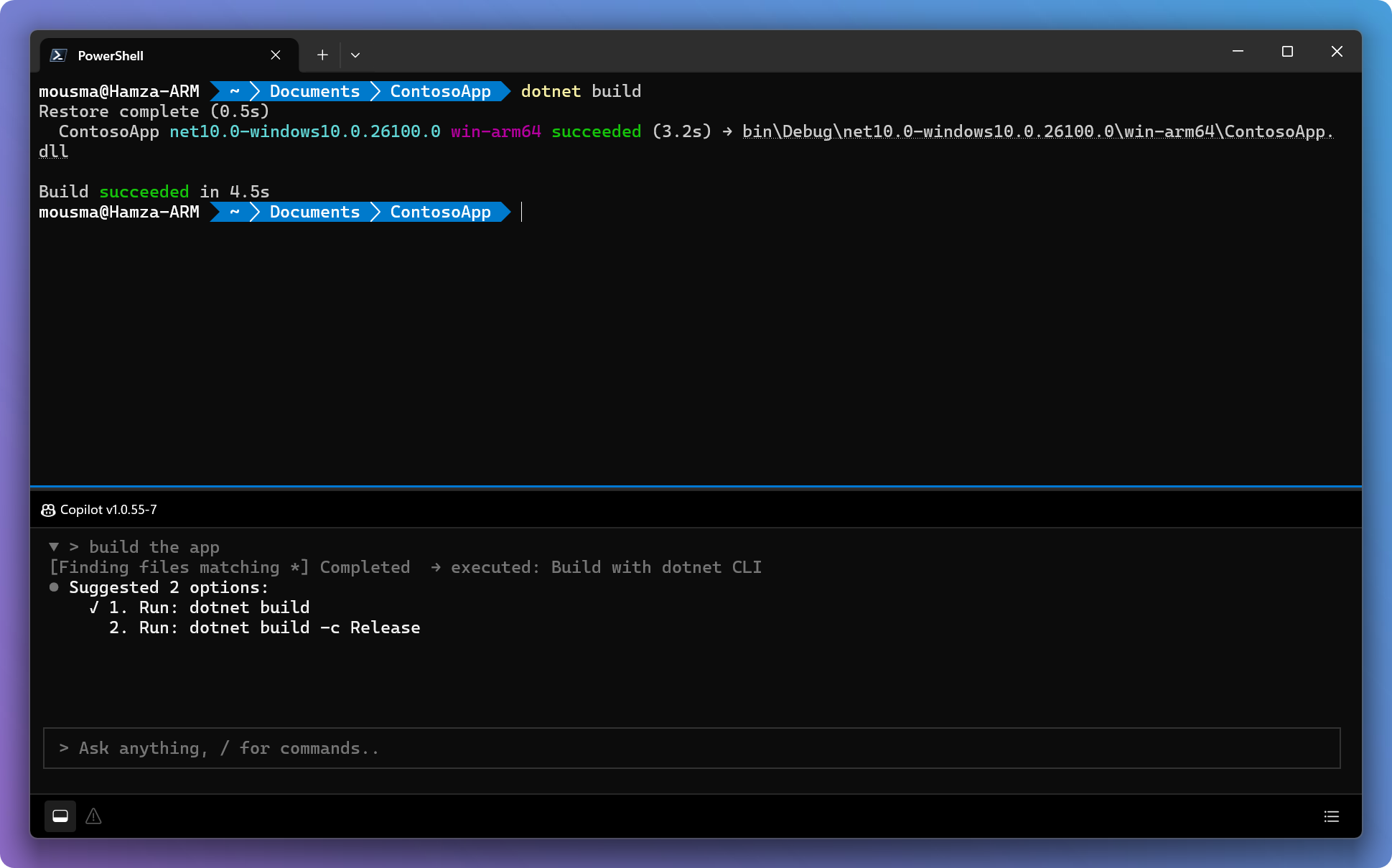
Microsoft's new Intelligent Terminal is a separate Windows Terminal fork with an agent pane, ACP support and shell error context inside the command line.
What this is about
Microsoft Intelligent Terminal is available as an experimental fork of Windows Terminal in version 0.1. The important part is not that another chat window sits next to the shell. The tool gives agents the context of the running terminal output, so developers do not have to copy error messages, logs or commands into a browser.
Microsoft deliberately describes Intelligent Terminal as a separate app. Existing Windows Terminal installations stay unchanged. That matters for teams that want to test agents without immediately changing their standard shell experience.
What Microsoft Intelligent Terminal actually does
The tool installs as its own terminal application. On first launch, it detects agent CLIs that are compatible with the Agent Client Protocol. According to Microsoft, it uses GitHub Copilot CLI as the default and can also connect Claude, Codex, Gemini or custom agents when they are available locally.
The workflow uses an agent pane, a status bar and an agent management view. The agent can see current shell output, explain errors, suggest commands and continue longer tasks in separate tabs. Keyboard shortcuts cover the pane, error context and agent management.
Why it matters
Many coding agents fail in daily use not because of the model, but because of the workflow. The developer sees a build error; the agent does not. Then copy-and-paste begins. Intelligent Terminal addresses that friction: the shell becomes an agent work surface, not just the place where suggestions are manually executed.
The GitHub source names Windows 10 2004 or later as a requirement and clearly states that data flows depend on the selected agent. That matters: Intelligent Terminal itself is a local transport and UI layer. If GitHub Copilot or another cloud agent is used, that vendor's privacy and contract terms apply.
In plain language
It is like a workbench where an experienced colleague stands next to you and can see the broken drill. You do not first have to send a photo and explain what happened. The colleague looks at the same workbench, points at the problem and suggests the next move.
A practical example
A backend team is building a .NET service. A developer runs dotnet test; 37 tests run and 2 fail. Instead of copying the error into chat, the developer opens the agent pane with error context. The agent sees the stack trace, suggests a missing mock and starts a background task that inspects the affected test file. The developer stays in the shell and reviews the suggestion before changing code.
Scope and limits
- The tool is experimental. Teams should not roll it out as the default terminal for production teams without testing.
- Privacy depends on the agent. A local transport layer does not automatically prevent cloud processing by Copilot, Claude, Gemini or Codex.
- Agents can suggest wrong commands. Shell context can include dangerous instructions; review and limited permissions remain required.
SEO & GEO keywords
Microsoft Intelligent Terminal, Windows Terminal, Agent Client Protocol, GitHub Copilot CLI, Claude Code, OpenAI Codex, Gemini CLI, AI coding agent, command line assistant, developer workflow, terminal automation, Windows developer tools
💡 In plain English
Intelligent Terminal brings an agent directly into the Windows shell. It can see terminal output, explain errors and suggest fixes, but the user remains responsible for data flow and commands.
Key Takeaways
- →Intelligent Terminal is a separate fork of Windows Terminal, not a forced update to the standard app.
- →The tool uses Agent Client Protocol and detects multiple agent CLIs.
- →GitHub Copilot CLI is the default, while other agents can be connected.
- →Shell output can be used as context for the agent.
- →Privacy and cost depend on the selected agent.
FAQ
Is Intelligent Terminal Windows Terminal?
No. It is an experimental fork that installs next to Windows Terminal.
Which agents work with it?
Microsoft names GitHub Copilot CLI as the default and ACP-compatible agents such as Claude, Codex, Gemini or custom CLIs.
Is the tool local?
The terminal layer is local. Where prompts and context are processed depends on the selected agent.
Who should test it?
Developer teams that want to try terminal agents without changing their existing standard shell.