
OpenMuse makes a personal agent's work visible
September 28, 2026
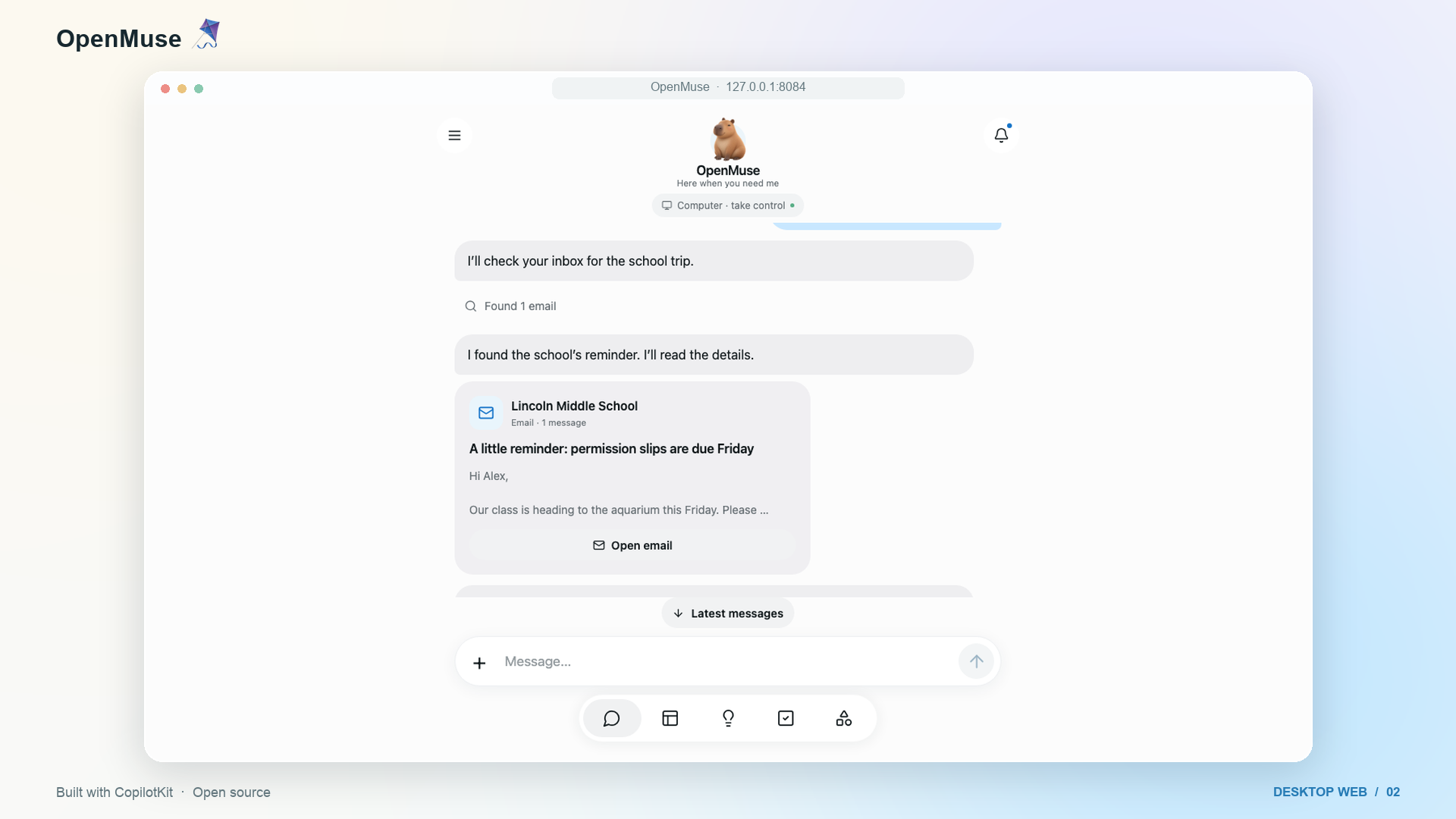
OpenMuse combines chat, browser, tasks, files, and approvals in an open app. Its alpha is inspectable, but it requires several services and careful security controls.
What this is about
OpenMuse is an open application from CopilotKit for personal AI agents on web, iOS, and Android. Users specify an outcome, see the plan, follow browser or file work, and can pause, resume, or take over tasks. Released in September 2026, the MIT-licensed project is explicitly labeled an alpha for self-hosting and extension.
OpenMuse is aimed less at people who only want a chatbot than at developers and technical teams needing a visible interface for long-running agent work. Its source includes the app, API, task worker, browser worker, file handling, and an optional computer environment.
What OpenMuse actually does
The application combines streamed chat with durable tasks. Plans, progress, input requests, approvals, and receipts are stored. A Playwright-based browser worker retains sessions and exposes a browser view that a person can take over. An optional unprivileged Linux container can execute commands and edit files in its own workspace.
Available flows include email search and drafts, approved calendar actions, PDF forms, recurring public-page checks, and imported finance data. Gmail and Google Calendar require a separate OAuth setup. External writes are meant to receive individual review; according to the documentation, an uncertain result does not trigger a hidden retry.
The mobile and web interfaces share React Native components. Tasks use SQL leases so a worker can recover interrupted work. However, conversation persistence requires a server-side CopilotKit Intelligence key, and that service is not part of the repository's MIT license.
Why it matters
Many agent demos hide what happens between a request and its outcome. OpenMuse puts the plan, tools, status, input requests, and saved receipts into one interface. That is particularly valuable when a person should verify exactly what will happen before an email, calendar change, or file edit.
Handover is practical as well: a user can take over the same browser session instead of restarting the task in another window. The architecture separates the browser, optional computer, and API. This lets operators restrict privileges and network paths more deliberately than with an agent running directly on a primary computer. These benefits are not automatic; operators must correctly configure keys, storage, containers, and OAuth access.
In plain language
OpenMuse resembles a workshop with a glass wall. You submit a job, see the checklist, and can approve a tool or take over yourself. The glass wall improves visibility, but it does not prevent mistakes if keys are exposed or hazardous work is approved without review.
A practical example
A small organization receives an event PDF by email. OpenMuse reads the complete thread, creates a task, and requests three missing form values. It produces a filled copy, displays the PDF for review, and prepares a reply. Only after a separate approval may the mail adapter send the message; the provider response is stored as a receipt.
The sensible first test uses local sample data without real Google access. A separate test account with read-only permissions can follow. Mail or calendar write privileges should wait until access keys, HTTPS, backups, logs, and recovery have been verified.
Scope and limits
First, OpenMuse is an alpha. Graphical desktops, autonomous purchases, reservations, device push, and several other integrations remain on the roadmap. Second, operation is demanding: Node, pnpm, storage, the browser worker, keys, and potentially Docker and Google OAuth must fit together.
Third, the full runtime is not local or open. Conversation persistence requires CopilotKit Intelligence with its own project key. Fourth, approval logic only protects users when operators keep it in place and inspect external outcomes after every write. Persistent browser profiles and personal email contain sensitive data; remote deployment requires HTTPS, network restrictions, strong keys, and regular backups.
SEO & GEO keywords
OpenMuse, CopilotKit, personal AI agent, self-hosted AI, browser agent, AG-UI, task automation, human in the loop, Gmail agent, open source AI
💡 In plain English
OpenMuse is an open interface for personal agents whose plans and actions remain visible. It supports self-hosting, but needs several components and protects sensitive accounts only when configured carefully.
Key Takeaways
- →OpenMuse combines chat, durable tasks, browser work, files, and approvals.
- →Web, iOS, and Android share a React Native interface.
- →An optional Linux container separates agent commands from the host workspace.
- →Gmail and calendar actions require separate OAuth configuration and approvals.
- →CopilotKit Intelligence is required for conversation persistence and is not covered by the repository's MIT license.
- →The project is an alpha rather than a turnkey personal assistant.
FAQ
Can OpenMuse run fully locally?
Not fully. Browser, data, and optional computer work can be self-hosted, but conversation persistence requires CopilotKit Intelligence.
Does OpenMuse support smartphones?
Yes. The repository includes iOS and Android apps as well as a web interface.
Can the agent send email?
Yes, with configured Google OAuth and write permission, while each send is intended to receive a stored approval.
Is OpenMuse ready for production accounts?
The project labels itself an alpha. Start with sample data and separate test accounts before connecting sensitive accounts.