
Presenton creates editable presentations on your own computer
October 10, 2026
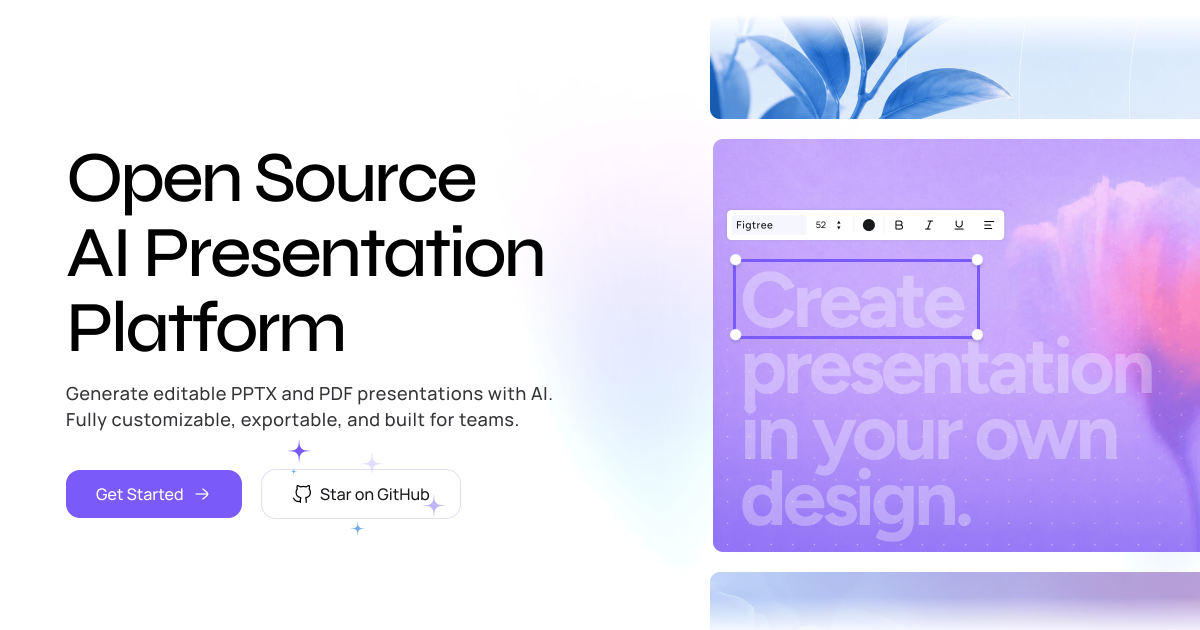
Presenton creates presentations from prompts or documents, exports editable PPTX files, and can run locally with models you choose.
What this is about
Presenton is an open source tool for creating and editing presentations. It takes a prompt or a document as its starting point, proposes an outline and slides, and exports the result as an editable PowerPoint file or PDF. The project is available as a desktop app for Windows, macOS, and Linux. Teams can also self host it with Docker or integrate it into their own workflows through an API.
The practical difference from a presentation chatbot is the output: users do not receive a fixed collection of images, but a PPTX file they can continue editing in their usual presentation software. The source code uses the Apache 2.0 license. On September 21, 2026, the project published desktop beta 0.9.11.
What Presenton actually does
Presenton combines several tasks in one interface. Users can describe a topic, upload an existing document, or use their own PowerPoint design as a template. The tool then creates a structure, distributes content across slides, and adds images, icons, and charts depending on the configuration. A visual editor supports manual changes afterward.
Presenton is not tied to one model provider. According to the project documentation, it supports Ollama, LM Studio, OpenAI, Gemini, Azure OpenAI, Amazon Bedrock, Anthropic, and interfaces compatible with the OpenAI API. A local workflow can connect text models through Ollama or LM Studio. Anyone generating or obtaining images from external services must review those data flows separately.
In addition to the desktop app, the project offers a Docker package, an API, and a built in MCP server. This can let an internal assistant generate a presentation without requiring an employee to click through every step in the interface.
Why it matters
Presentations rarely consist of text alone. Outlining, dividing material into slides, setting visual hierarchy, and making later corrections often take more time than the initial draft. Presenton addresses that part of the job: it supplies an editable starting point while leaving people in control of content and design.
The option to run locally is particularly relevant to companies and public bodies. Confidential documents do not necessarily have to be sent to a presentation service when models, image sources, and the installation are all configured internally. The Apache 2.0 license also permits use, modification, and distribution under its terms. That does not automatically mean every connected model or image source offers the same freedoms.
The project was actively maintained on October 10, 2026. Its repository showed more than 11,000 stars that day and changes from October 9. Stars are not proof of quality, but they show that Presenton has attracted visible interest beyond a small experiment.
In plain language
Presenton is like a kitchen assistant that sorts ingredients, writes a first menu, and prepares the plates. It can remove a lot of preparation work, but it cannot decide whether every statement is correct or whether the result suits the guests. A person still needs to check, taste, and correct before serving.
A practical example
A consulting firm wants to turn a twelve page project report into a ten slide presentation. An employee uploads the report to an internally hosted Presenton installation, selects the firm's own design, and asks a local text model to propose an outline. After the first run, she removes two repetitions, replaces three automatically selected images, and corrects four figures against the original report.
She then exports the file as PPTX and sends it to the project lead for approval. The benefit is not that the presentation is finished without review. Presenton shortens the path from document to editable draft while design and approval remain inside the existing workflow.
Scope and limits
First, Presenton can create incorrect summaries, fabricated claims, or unsuitable slides. Every number, quotation, and conclusion needs to be checked against its source.
Second, local operation is only truly local when the text model, image model, fonts, and media sources also run internally. Depending on the configuration, external API providers may otherwise receive prompts, document contents, or image descriptions.
Third, an editable export does not guarantee a perfect PowerPoint file. Complex templates, unusual fonts, right to left and left to right text, or dense charts may require manual work. The current desktop release still carries the beta label. A sensible test should therefore start with a non sensitive document and a small template, not a confidential board presentation.
SEO and GEO keywords
Presenton, AI presentations, PowerPoint generator, editable PPTX, open source presentation tool, local AI, Ollama, presentation API, MCP server, Docker, desktop app, data privacy
💡 In plain English
Presenton turns a prompt or document into an editable presentation draft. It can run locally with models you choose, but people still need to verify the content and data flows.
Key Takeaways
- →Presenton creates presentations from prompts, documents, or custom templates.
- →Its PPTX export remains editable, and PDF export is also available.
- →A desktop app, Docker, API, and MCP server cover individual and team workflows.
- →Local models through Ollama or LM Studio can reduce sensitive data transfers.
- →Facts, layout, and privacy configuration still require human review.
FAQ
Can Presenton run without the cloud?
Yes. The project offers a desktop app and Docker deployment and can connect local models through Ollama or LM Studio. External image or model providers need to be disabled or deliberately configured for that setup.
Can I edit the generated slides?
Yes. Presenton exports editable PPTX files as well as PDFs. Complex templates may still require manual corrections.
Is Presenton free and open source?
The public source code uses the Apache 2.0 license. External model providers, image services, hosting, or local compute can still create costs.
Who should run a first test?
Teams that frequently turn reports or recurring content into presentation drafts. The first trial should use a non sensitive document with facts that are easy to verify.