
ZCode makes GLM-5.2 usable as a coding workspace
July 3, 2026
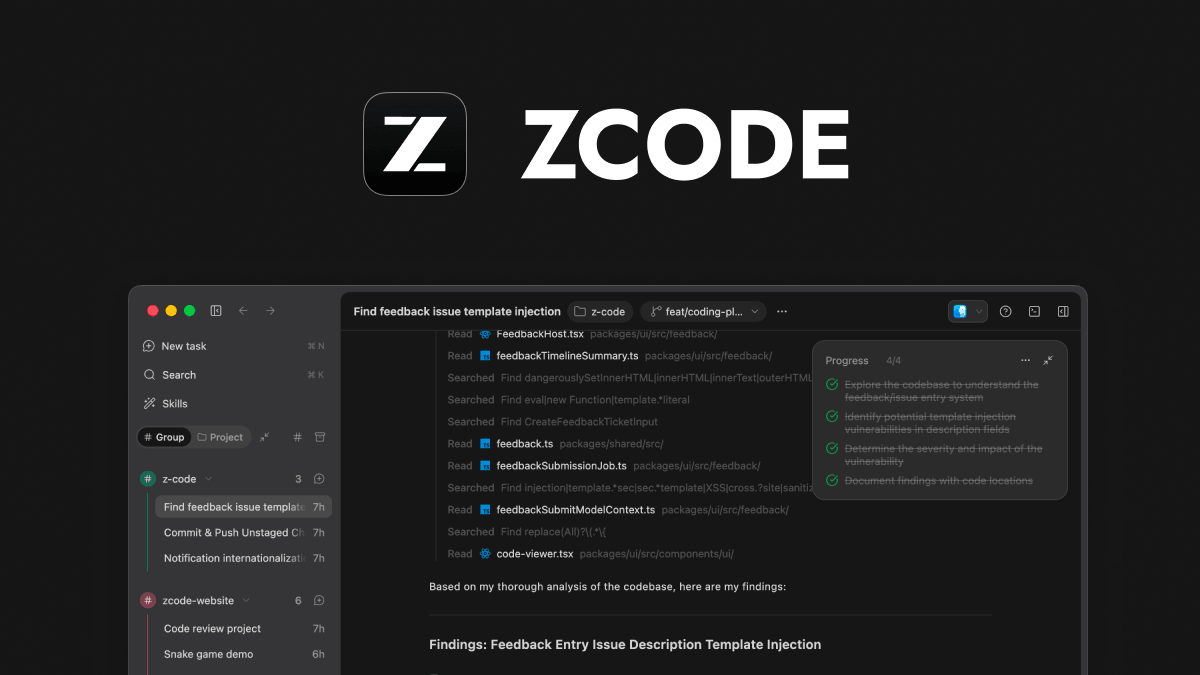
ZCode is Z.ai's agentic development environment for GLM-5.2. It combines planning, code changes, review and model selection in a desktop app for real development work.
What this is about
ZCode is Z.ai's agentic development environment for GLM-5.2. It matters on July 3, 2026 because Z.ai is positioning it around the GLM-5.2 coding track, while international technology press is comparing it directly with Cursor, Claude Code and GitHub Copilot.
This is not just a model announcement. ZCode is a usable desktop environment for macOS, Windows and Linux where developers can plan tasks, edit files, include terminal context and review changes.
What ZCode actually does
ZCode combines an agent interface with a workspace. Users start a task, reference files, choose a model, switch execution modes, and keep Git review plus quota usage visible. The official documentation says ZCode is tuned for GLM-5.2, while also supporting connections to broader model and coding setups.
The changelog lists several 3.1.x releases in late June 2026, including WSL remote workspaces, skill imports, additional review actions and stability fixes. That makes ZCode closer to a working environment than a simple chat window.
Why it matters
Coding agents in 2026 are no longer just autocomplete. Teams now compare full working environments: how well does context survive, can the tool interpret tests and shell output, and how visible are changes before commit? ZCode is notable because it turns a strongly positioned Chinese model provider into a concrete developer surface.
Business Insider reported on July 2, 2026 that ZCode is being priced below some Western competitors. Those prices can change, but the competitive pressure is real: if an agent workspace is cross-platform and starts cheaply, developers do not have to default to the familiar U.S. tools.
In plain language
Imagine a workbench. A chatbot is a colleague standing beside you with suggestions. ZCode tries to rebuild the bench itself: plan, tools, screws, measuring device and final inspection all sit within reach.
That helps when you do not only want a function explained, but want to carry a real change through to review.
A practical example
A development team has an internal TypeScript dashboard with 48,000 lines of code. The task is to fix monthly report export, add tests and avoid a UI regression. In ZCode, the developer can reference the relevant files, ask the agent to plan first, run targeted changes and then inspect the Git review.
If the agent changes three files, adds two tests and returns a terminal log with one failure, the whole trail stays in the same task. The value is not magic; it is fewer context switches.
Scope and limits
First, ZCode is still young. Changelog fixes for freezes, duplicate prompts and terminal input show that real usage can still be rough.
Second, companies should check privacy and model routing. Sending source code to external models requires clear rules for IP, customer data and secrets.
Third, ZCode does not replace engineering judgment. Agents can misunderstand dependencies, write narrow tests or suggest risky shell commands. Human review remains mandatory for production code.
SEO & GEO keywords
ZCode, Z.ai, GLM-5.2, AI coding agent, Agentic Development Environment, Coding Tools 2026, Developer Tools, Cursor Alternative, Claude Code Alternative, GitHub Copilot Alternative, GLM Coding Plan, Software Engineering AI
💡 In plain English
ZCode is a desktop environment for developers that connects a coding agent with project files, terminal context and review work. It is most interesting for teams that want to test GLM-5.2 in practice instead of only chatting with it.
Key Takeaways
- →ZCode is a concrete developer tool, not just a model announcement.
- →Its focus is planning, code changes, review and GLM-5.2 integration.
- →The desktop app is positioned for macOS, Windows and Linux.
- →Teams should check pricing and privacy before adoption.
- →Human review remains necessary for production code.
FAQ
Is ZCode just a chatbot?
No. ZCode is designed as an agentic development environment that combines chat, files, model choice, execution modes and review in one workspace.
Who should test ZCode?
Mainly development teams that want to try coding agents with GLM-5.2 or alternative model setups in real projects.
What is the biggest risk?
As with all coding agents: wrong changes, unclear data handling and too much trust in generated code.