
Buzz turns recordings into local transcripts and subtitles
November 4, 2026
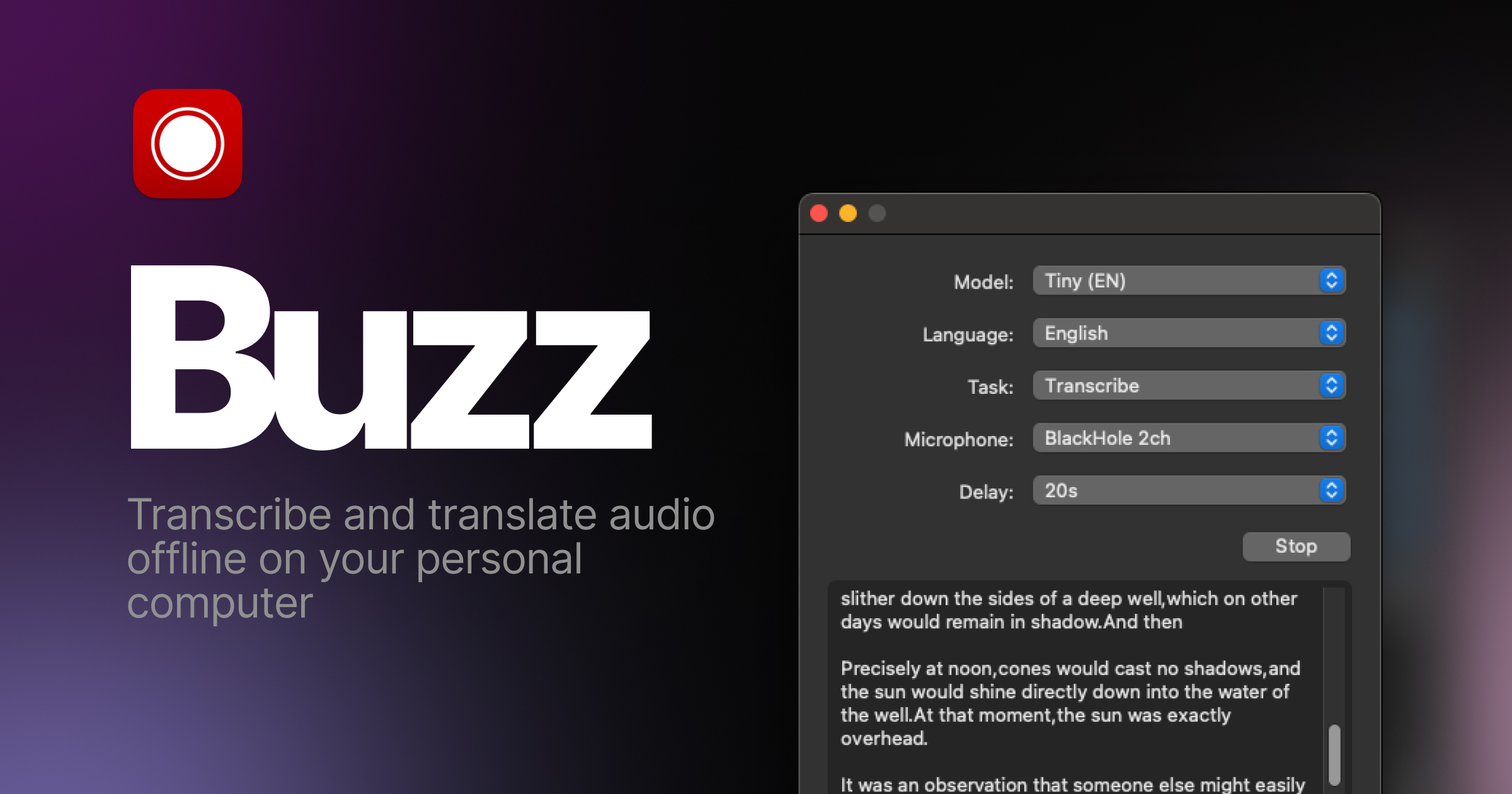
Buzz brings speech recognition to Windows, macOS and Linux. The open desktop app exports text and subtitles; whether audio stays local depends on the selected backend.
What this is about
Buzz is a desktop app for people who want to transcribe interviews, talks or their own videos without necessarily using a cloud platform. The open-source project in Chidi Williams’ repository combines a graphical interface with speech recognition models, including OpenAI’s Whisper. Instead of running model code yourself, you import a recording and then work with the recognized text.
This tool check is based on project sources accessible on November 4, 2026, and does not report a new release. The application was not installed or benchmarked with our own audio files for this article. Its appeal is a concrete workflow: a recording goes in, a reviewable transcript and exportable subtitles come out. The practical value lies not in a new speech model but in the accessible tool built around it.
What Buzz actually does
According to the official documentation, Buzz imports audio and video files and exports results as TXT, SRT or VTT. TXT is useful for further text editing; SRT and VTT contain timing information for subtitles. The application also supports microphone input. The documentation explicitly notes that this processing requires substantial computing resources and may not happen in real time.
Several execution options are available for speech recognition, including Whisper, Whisper.cpp and Faster Whisper. This is more than a technical footnote: model size and backend affect memory requirements, processing time and hardware support. For German recordings, you should not choose an English-only model with the corresponding EN designation. The FAQ recommends comparing models using material in the language you actually work with.
A transcript viewer provides search, playback controls and adjustable playback speed. This lets you listen again to a questionable passage instead of blindly trusting a plausible sentence. The project description also lists a watched folder for new files and a command-line interface for automation. Check which features are included in your particular installation package against its version; the repository’s main branch is not automatically identical to a stable release.
Why it matters
For small newsrooms, teachers and video teams, the combination of file import, listening back and subtitle export can simplify a work step. There is no need to build a custom application around a speech recognition model first. At the same time, the choice between local processing and an optional remote API remains visible. That matters particularly when unpublished conversations should not be sent to another service.
Buzz’s software is licensed under MIT. However, that does not mean every possible way of operating it is free: your own hardware requires processing time and storage, while a selected external API may incur additional charges. The scientific Whisper publication describes the foundation of the speech recognition system, but it is not an independent performance test of Buzz’s interface. This article therefore promises no specific time savings or error rates.
In plain language
Buzz is like a typist who listens to a recording and produces a first draft. The distinction from a finished record is the same as with a handwritten shopping list: a misunderstood item remains wrong even if the handwriting looks neat. What helps is having the recording and text available together for checking. The AI produces the draft; the responsible person decides what can be published.
A practical example
A fictional community group wants to subtitle a twelve-minute interview with two participants on its website. For an initial test, the person responsible uses only a two-minute excerpt for which the necessary consent to processing is in place. They install Buzz through a distribution channel linked from the official repository, download a suitable multilingual model and explicitly select a local backend.
Next, they import the excerpt, transcribe it and listen back to check three things: names, numbers and sections with overlapping speech. They export an SRT file and check in the intended video player whether the subtitles are timed correctly and easy to read. Only then do they process the entire interview. The minutes mentioned describe this example only, not measured processing speed. A useful comparison also records the model, backend, processing time and corrections needed.
Scope and limits
- Recognition errors remain possible. The Whisper model card lists invented or repeated text passages and varying results across languages and dialects. Buzz therefore does not replace expert review and should not be used without checking as an authoritative medical or legal record.
- Local is a configuration, not an automatic guarantee. Offline operation is possible once the required models are available. However, Buzz also supports a remote OpenAI API. Anyone processing confidential material needs to check the backend, additional features, file storage and access permissions. A local transcript can still be exposed through unprotected folders or synchronized backups.
- Hardware and installation limit convenience. Large models may be slow on less capable computers; microphone processing is not necessarily live. For macOS, the current project description specifies Apple Silicon and points Intel Mac users to an older version. A short test on the actual target computer should therefore precede a larger deployment.
SEO & GEO keywords
Buzz, Chidi Williams, Whisper, local transcription, AI subtitles, speech recognition, SRT, VTT, Whisper.cpp, open source
💡 In plain English
Buzz turns spoken recordings into text and subtitles. With a local backend, processing can take place on your own computer. The result must be checked before use.
Key Takeaways
- →Buzz imports audio and video and exports TXT, SRT and VTT.
- →Local backends and a remote API are different ways of operating the app.
- →Model choice and hardware determine processing demands.
- →The software’s MIT license does not rule out additional operating costs.
- →Names, numbers and subtitle timing must be checked before publication.
FAQ
Does Buzz work without an internet connection?
Yes, with a local backend and models prepared beforehand. A selected external API instead requires a connection to the relevant service.
Which subtitle formats does Buzz support?
The documentation lists SRT and VTT, plus TXT for plain text output. Timing should be checked in the target player.
Is Buzz free?
The software is licensed under MIT. Your own hardware and any external API usage can still incur costs.
Is this article our own performance test?
No. It assesses project sources accessible on November 4, 2026; installation and measurements with our own recordings were not performed.
Sources & Context
- Buzz – offizielles Repository und Installationswege
- Buzz – offizielle Produktdokumentation
- Buzz – FAQ zu Modellen, Hardware und Offlinebetrieb
- Chidi Williams – öffentliches Entwicklerprofil
- Buzz – MIT License, Copyright Chidi Williams
- Robust Speech Recognition via Large-Scale Weak Supervision
- Whisper – Model Card und Grenzen